UBT Consultants & UPRs

Help Video

How to Find UBT Basics on the LMP Website

Learn how to use the LMP website:

LMP Website Overview

Learn how to use the LMP website:

How to Find How-To Guides

This short animated video explains how to find and use our powerful how-to guides

Learn how to use the LMP website:

How to Find and Use Team-Tested Practices

Does your team want to improve service? Or clinical quality? If you don't know where to start, check out the team-tested practices on the LMP website. This short video shows you how. 

Learn how to use the LMP website:

How to Use the Search Function on the LMP Website

Having trouble using the search function? Check out this short video to help you search like a pro!

Learn how to use the LMP website:

How to Find the Tools on the LMP Website

Need to find a checklist, template or puzzle? Don't know where to start? Check out this short video to find the tools you need on the LMP website with just a few clicks. 

Learn how to use the LMP website:

A Dose of Fun

Deck: 
Co-leads use laughter to help their team—and themselves

Story body part 1: 

When Terri Imbach, Family Practice manager at Mt. Scott Medical Office in the Northwest region, and labor co-lead Christina English, a licensed practical nurse and a member of SEIU Local 49, began to work together as UBT co-leads several years ago, they knew they needed to shake things up with the department’s unit-based team. 

The staff worked hard to meet the demanding needs of the fast-paced medical office, but morale wasn’t great—and team members weren’t taking ownership of improvement work. UBT meetings were poorly attended and often turned into complaining sessions.  

The co-leads’ first move was to go to UBT training classes together. That experience gave them an idea for their next move—which was to shake things up between the two of them by stepping away from work and getting to know each other outside the office. 

“Getting out of the work environment is a good way to get away from the stress of the department,” explains English. This mindset set the tone for how they would operate together and helped them sustain a good relationship over time.

The co-leads also adopted “fun” as part of their regular UBT agenda, and meetings now are attended by nearly 100 percent of the staff.  

“We think of fun ways to get to know each other in and out of the office, and we work to include fun elements in all of our meetings,” Imbach says. During the holidays, team members played relay games at their UBT meeting, and they participated in a fundraiser for a local youth organization that included playing basketball on donkeys. 

The creative energy of the co-leads has helped engage all 40 members of the Level 5 team, who are juggling more than a dozen quality projects. 

“Team members step up to take on projects now,” English says, “and there are friendly competitions to meet our goals.”


Listening Is Key for Audiology Co-Leads

Deck: 
Appreciating each other’s different skills and background helps relationship sing

Story body part 1: 

“You have two ears and one mouth for a reason,” television’s Judge Judy frequently says, quoting an ancient Greek philosopher. “You should listen twice as much as you talk.” Successful co-leads realize that making a partnership work requires listening and learning from one another. 

Caroline Masikonde, RN, had been a management co-lead with the urgent care team at Largo Medical Center in the Mid-Atlantic States, an experience that helped her understand the importance of valuing her partner’s input. But when she accepted a new role as clinical operations manager in Northern Virginia Audiology in January 2016, she didn’t have any experience in audiology. So she’s relied heavily on her new labor co-lead, Lynn M. Reese, Au.D., a UFCW Local 400 member. Masikonde has learned why audiology UBT members escort patients outside (so they can try out new hearing aids in different conditions)—and her willingness to listen helped the co-leads bond quickly. 

“Lynn is very experienced,” says Masikonde. “I lean on her even now.” 

Reese, on the other hand, was new to the unit-based team structure, since the audiology UBT had just formed. That’s where Masikonde’s expertise came in. “We fit together pretty well,” says Reese. “Caroline is very open to listening and learning new things.”

Reese, too, expanded her knowledge, growing into an appreciation that she and Masikonde have equal say on what’s now a Level 4 UBT. “Everyone contributes,” says Reese. The ability to speak up led to Reese and the rest of the team requesting and receiving approval for an additional booth to test patients’ hearing. 

Relationship tested

Their new relationship was tested when a member—after waiting more than 12 weeks for a refund on a hearing aid that had cost more than $1,000—alerted them, loudly and angrily, to the problem. 

Instead of pointing fingers, UBT members figured out the issue: The refund request had to be processed through a department in Southern California, but the team had no way to follow up once the request was submitted. 

“This lady forced us to look at this and do better for our members,” Masikonde says. “It prompted us to come up with a better workflow,” and now the team has names and contact information for the people who work on the refunds.

“Even though it was a bad situation, she made us want to improve,” Reese says. 

Because the co-leads already were accustomed to relying on and listening to each other, they were able to quickly and calmly handle this tense situation with the unhappy member.

“We really learned our lesson,” Masikonde says. “Recently, we did a refund on a Monday—and by Friday, the member had the check. Lynn and I know our parts and do our dance.”

TOOLS

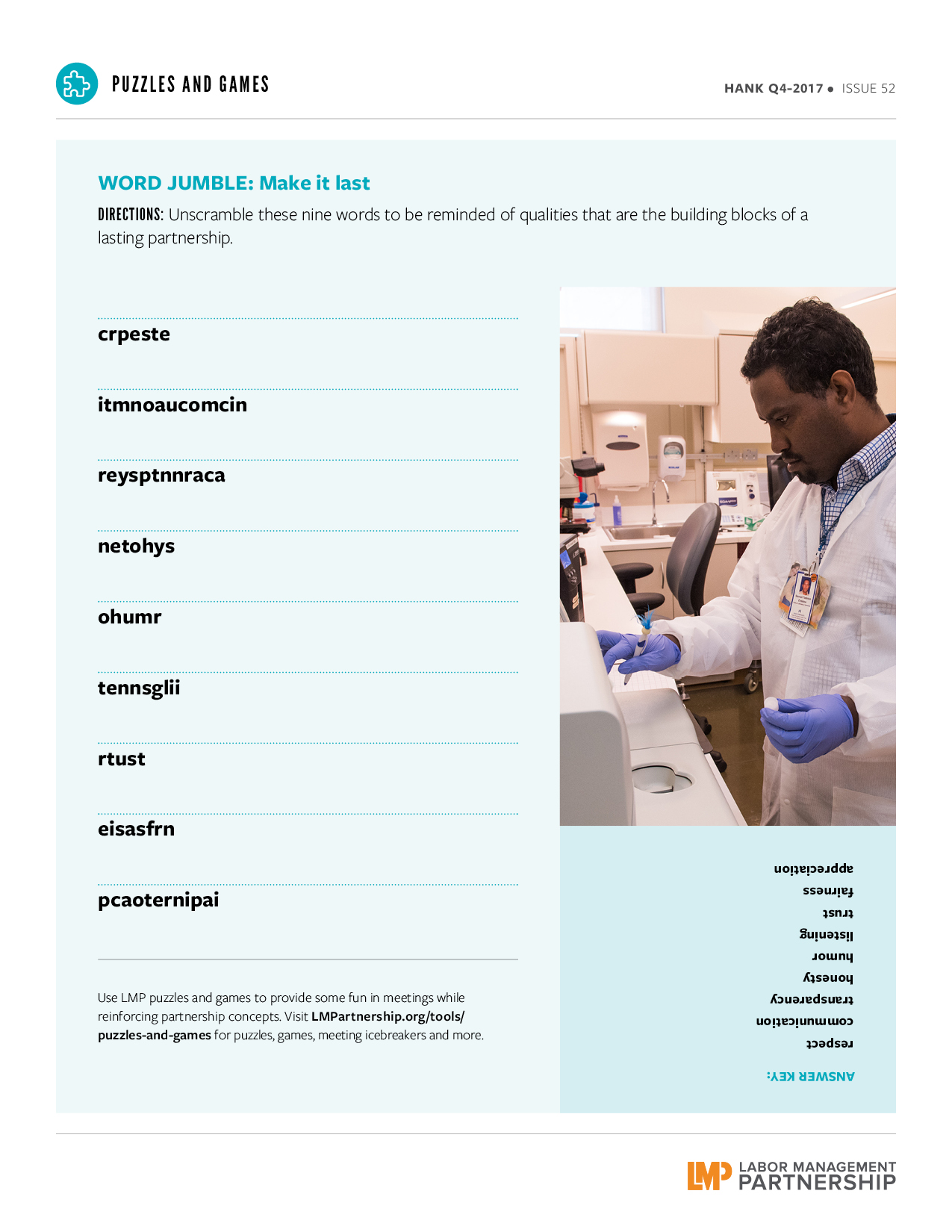
Word Jumble: Make It Last

Format:
PDF

Size:
8.5" x 11"

Intended audience:
Frontline employees, managers and physicians, as well as people who support unit-based teams

Best used:
Inject some fun into meetings with this word jumble that reminds players about the values of partnership. 

Related tools:

How-To Guide: Have Great Meetings

Well-run meetings keep members of unit-based teams connected. Employees, managers and physicians can share information and solve problems face to face.


Poorly planned or badly run meetings, on the other hand, waste participants' time and lead to frustration and cynicism.


This guide will help you plan and conduct meetings that build teamwork and help your UBT make improvements that benefit our members and patients. 


Team Educates Patients and Saves $1 Million

  • Team members learning about their own benefits and researching which Emergency Departments Kaiser Permanente prefers to have members use
  • Analyzing claims data for patients with the highest number of Emergency Department visits
  • Educating patients about Emergency Department use

What can your team do to improve its own business literacy? And help patients make better decisions about their care? 


Quick Guide to Using LMP Videos

Story body part 1: 

Make the most of LMP Videos

Thank you for watching our video! The LMP communications team created it with the hope that you would watch and be inspired to share it with your coworkers and friends.

Videos are one of the most popular and effective ways to educate, entertain and inspire. (YouTube gets more than 1 billion unique visitors every month!)

You have the power to inspire your colleagues and help spread the word about the work that’s being done in partnership by posting a video to your Facebook page or showing it at your next meeting. 

If you are a team co-lead, show it at your next unit-based team meeting. If you are a manager, play it at your next managers' meeting. Facility and regional leaders—share it with other leaders.

Afterward, spend a few minutes asking for viewers' reactions and dicussing takeaways from the video. Are there practices that you or you team can copy?

Videos are time well spent in a meeting. You’ll engage your audience in a way that live presentations often don’t.

And you will have helped strengthened our Labor Management Partnership.

Instructions for handling zipped files

On older videos, you may get a "zip" file when you click on the Download MP4 button. To play these videos, follow these steps:
  1. Click on the "Download MP4" link.
  2. A "File Download" window should pop up asking "Do you want to save or open this file?"
  3. Choose "Save."
  4. File will be saved as "zipped" file that is your video compressed into a zip archive.
  5. Right-click on the file and choose Extract All, then save that WMV file to your computer.
  6. Click on WMV to play the video.

Savings From Around the Regions

Deck: 
eSignatures and more from coast to coast

Story body part 1: 

Northern California: Staff laptops make life easier 

Even in a fast-paced Emergency Department, change doesn’t always come swiftly.

“I’m old school,” says Jacinta Laupua, a clerk and SEIU-UHW member, who was one of the last holdouts when her team decided to try using laptop computers to gather member signatures. 

“I thought of every excuse in the book. But now I love it,” she continues. “If I don’t have a laptop assigned to me, I ask other clerks if they are using theirs, because I want one. In fact, we need more.”

The laptops, provided through a regional initiative, are at the heart of a successful unit-based team project to reduce paper and copying costs in the Emergency Department at the South Sacramento Medical Center. The total savings came to more than $88,000 in 2016. 

The Level 5 UBT’s project got under way in late 2015, when clerks and the team’s co-leads—Bianca Ruff, a clerk and SEIU-UHW member, and managers Susan Velasquez, administrative services manager, and Neeta Kumar, administrative clerical supervisor—brainstormed ways to improve cost savings and efficiency. Their first goal was to save $27,820 over four months. 

Soon team members were trying out the use of laptops with signature capture pads. The technology makes it possible for clerks to register patients at their bedside and record their information and signature electronically. Not only does this eliminate the need for paper registration forms, it also increases the clerks’ mobility and efficiency.

There were many small tests of change needed before everything was working smoothly, but the project has been so successful the department has invested in nine laptops on wheels. And all Emergency Department clerks are trained on
the computers. 

“It’s almost too painful to remember how we used to process forms,” jokes Ruff.

—Tracy Lee Silveria

Northwest: Pharmacy team ‘owns’ its inventory, saves thousands

When team members at the Community Care Pharmacy in the Northwest region did a routine inventory, they were astounded at the value of their expired medications that no longer could be returned. 

“We took a $70,000 loss,” says Rob Yancey, the pharmacy’s manager. The pharmacy serves patients in extended care facilities and often fills prescriptions for costly and uncommon drugs.

Susan Luu, an inventory technician and member of UFCW Local 555, spearheaded a successful project that drew on the free-to-speak culture and collaborative spirit that helps make this a Level 5 team. 

“I knew it was too much to do by myself,” Luu says. “I felt comfortable talking with my manager, and his response was, ‘Let me see how can I can help.’” 

Different staff members “owned” a section of the pharmacy to check for outdated or slow-moving medications. By the time the team did its next inventory, losses had dropped to $7,000.

—Jennifer Gladwell

Mid-Atlantic States: Tackling unwanted side effect of a computer upgrade

When the South Baltimore County Medical Center laboratory in the Mid-Atlantic States region upgraded its computer system in December 2015, it inadvertently increased lab costs. 

The problem? While the new system has many great features, it doesn't have a way to alert staff when providers add a new test to an existing order. In May 2016, the lab missed 32 percent of these “add-ons,” a total of 30 tests, says Samuel Endalew, the lab’s lead technician, a UFCW Local 27 member and the team’s labor co-lead. 

The mistake inconveniences members, who must return to the lab to provide a new specimen. Each missed add-on costs Kaiser Permanente about $35 in extra supplies and employee time. 

The solution: a system to check the lab’s inbox for add-on tests and a team binder to track their progress. By February 2017, the team was missing only 2 percent of add-ons and saving about $1,050 a month.

Leaders from other area labs are considering adopting the process.

—Otesa Miles

Pages

Subscribe to RSS - UBT Consultants & UPRs