PPT

Help Video

How to Find UBT Basics on the LMP Website

Learn how to use the LMP website:

LMP Website Overview

Learn how to use the LMP website:

How to Find How-To Guides

This short animated video explains how to find and use our powerful how-to guides

Learn how to use the LMP website:

How to Find and Use Team-Tested Practices

Does your team want to improve service? Or clinical quality? If you don't know where to start, check out the team-tested practices on the LMP website. This short video shows you how. 

Learn how to use the LMP website:

How to Use the Search Function on the LMP Website

Having trouble using the search function? Check out this short video to help you search like a pro!

Learn how to use the LMP website:

How to Find the Tools on the LMP Website

Need to find a checklist, template or puzzle? Don't know where to start? Check out this short video to find the tools you need on the LMP website with just a few clicks. 

Learn how to use the LMP website:

TOOLS

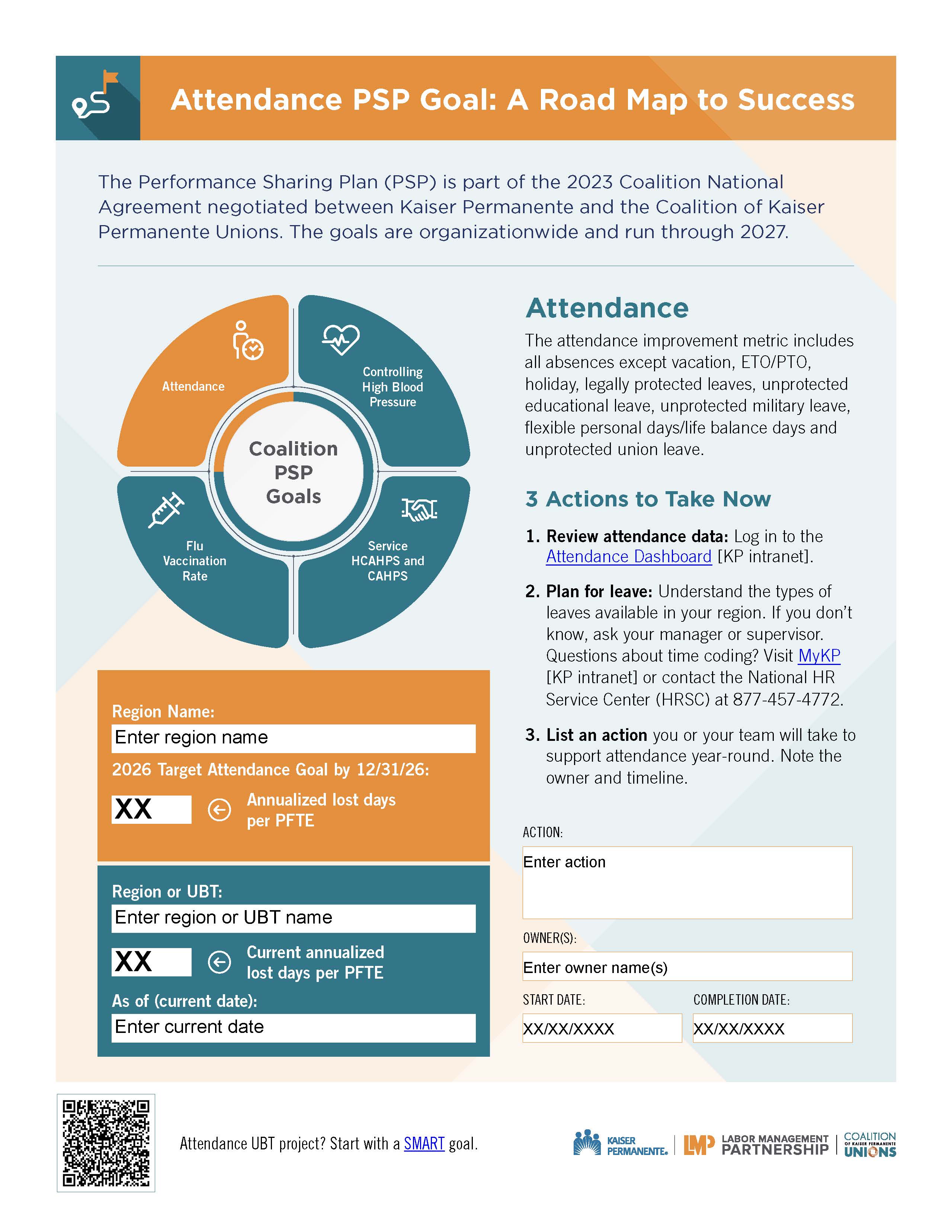
Coalition PSP Roadmap: Attendance

Format:
PDF

Size:
1 page, 8.5 x 11

Intended audience:
UBT management and labor co-leads, consultants, sponsors, and union partnership representatives 

Best used:
Customize this template to promote the PSP attendance goal among Coalition-represented workers. Share in meetings, huddles, and on bulletin boards. 
Related tools:

TOOLS

Coalition PSP Goal Template

Format:
PPT

Size:
PPT vertical and horizontal slides

Intended audience:
UBT co-leads, consultants, sponsors, and union partnership representatives 

Best used:
Customize these templates to promote PSP goals among Coalition-represented workers. Use it as a digital or print-ready poster or PowerPoint slide. Share in meetings, huddles, and on bulletin boards. Note: open the template in PowerPoint to view editable fields.
Related tools:

TOOLS

Joint Staffing Booster PowerPoint

Format:
PPT

Size:
14 Slides

Intended audience:
Unit-based team co-leads, staffing champions, and others involved in creating Coalition joint staffing plans.

Best used:
Use these PowerPoint slides in conjunction with the related booster materials, including a video, facilitator guide and worksheet. 

Related tools:

TOOLS

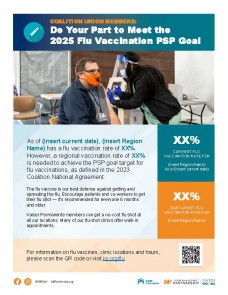
Coalition Union Members: Achieve the Flu Vaccination Goal

Format:
PPT

Size:
1 slide or poster (8.5" x 11")

Intended audience:
UBT co-leads, consultants, sponsors, and union partnership representatives 

Best used:
Customize this template to promote the flu vaccination PSP goal among Coalition-represented employees. Use it as a digital or print-ready poster or PowerPoint slide. Share in meetings, huddles, and on bulletin boards.

Related tools:

TOOLS

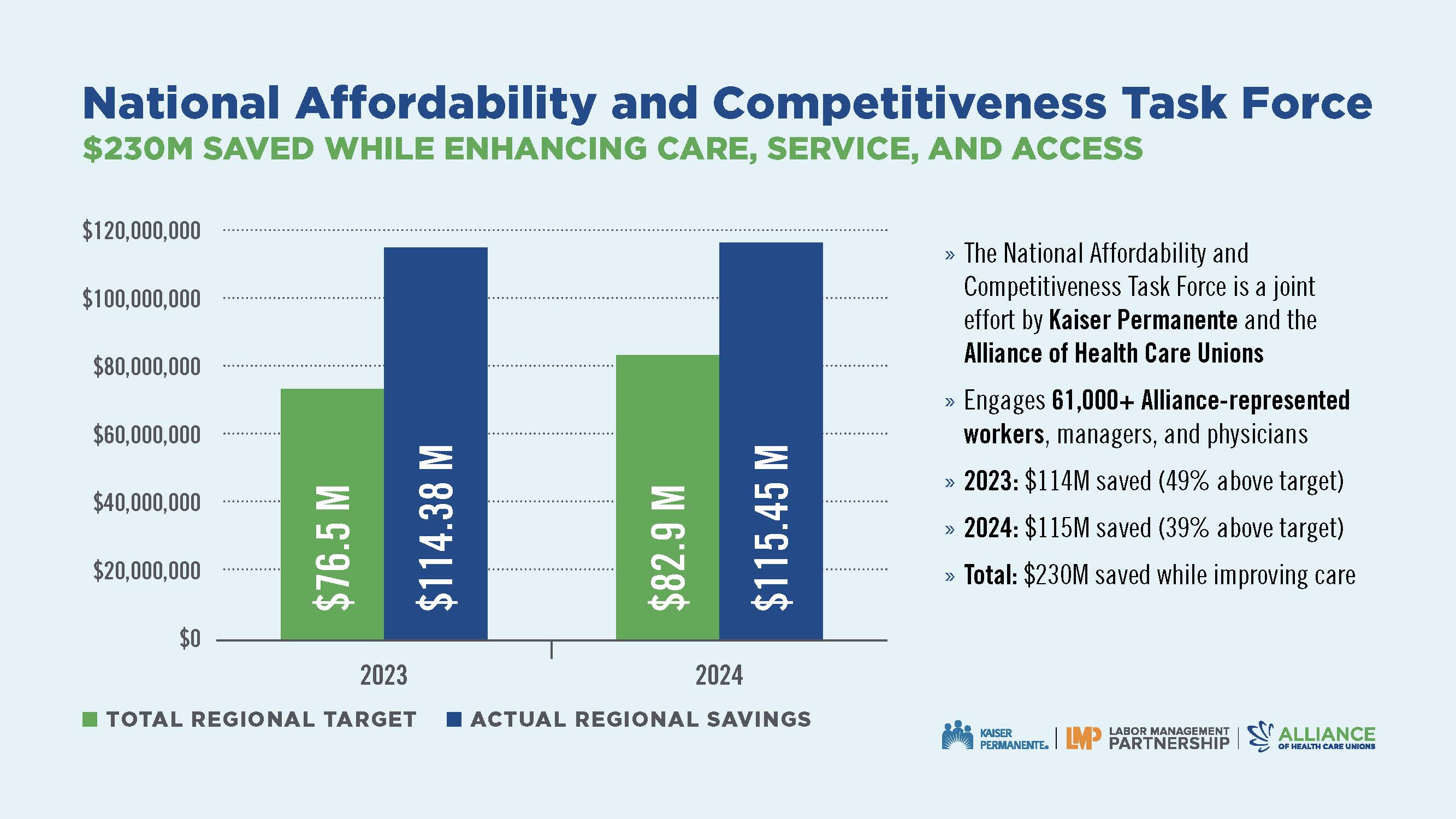
2024 Year-End Report: National Affordability and Competitiveness Task Force

Format:
PDF

Size:
11" x 8.5"

Intended audience:
Anyone with an interest in keeping Kaiser Permanente affordable and competitive

Best used:
See how Alliance-represented workers, with managers and physicians, saved $230 million over two years while improving quality, service and access. Share at huddles, LMP council meetings, and other partnership gatherings. Read the details.

Related tools:

TOOLS

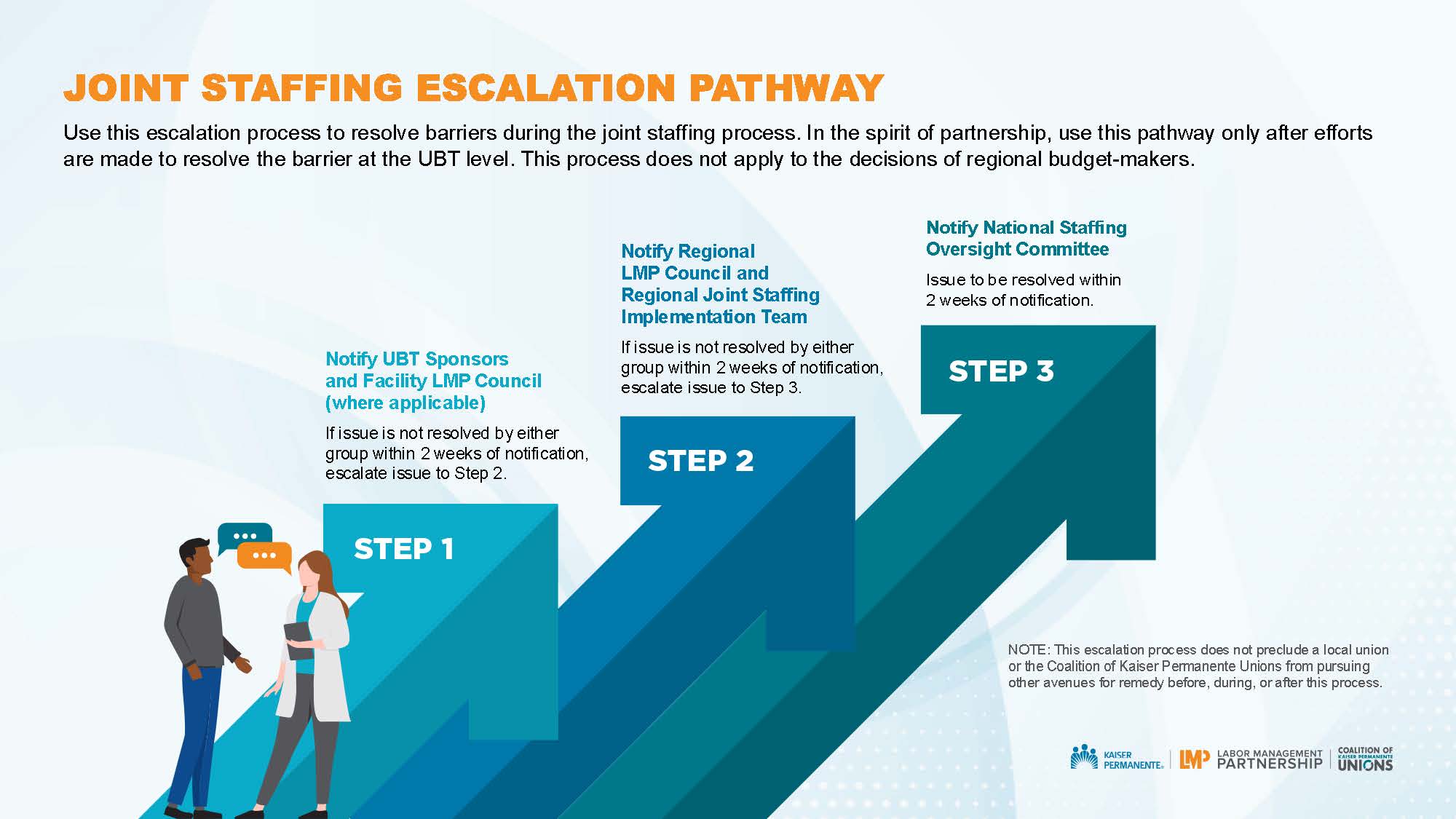
Escalation Pathway

Format:
PPT

Size:
1 slide 

Intended audience:
Frontline union members, managers and leaders who are involved in implementing joint staffing language in the Coalition national agreements 

Best used:
Use this escalation pathway to resolve barriers during the joint staffing process. 

Related tools:

TOOLS

Power of Partnership Meeting Presentation

Format:
PPTX

Size:
1280 x 720 pixels

Intended audience:
Communicators, workforce development professionals, managers, union leaders, executives

Best used:
Use this presentation with notes and accompanying video in team meetings to discuss workforce development resources. 

Related tools:

TOOLS

PSP Palooza PPT Template for Team Presentations

Format:
PPT, 11 slides, 16:9

Intended audience:
Frontline staff, managers, and physicians; regional and facility leaders

Best used:
Unit-based teams can use this PowerPoint template to share their successful practices at a PSP Palooza. This is an alternative to creating a storyboard. The template guides teams to insert key information (such as SMART goals, small tests of change, metrics, and learnings) onto each of the 11 slides for a quick and easy way to create a presentation for a PSP Palooza or similar event. 

For more tools, please visit the How-To Guide: PSP Palooza in a Box.

Related tools:

Pages

Subscribe to RSS - PPT